
If you have a Google TV, Android TV, TV Box, smart Android screen, or even just an Android phone, this setup is worth trying. The idea here is simple: install a solid free TV app that feels polished, works without extra players, and does not make you jump through a bunch of activation hoops.
What makes this one stand out is that it is easy to install, light on complications, and designed in a way that feels closer to paid services than the messy apps people usually run into.
Table of Contents
- 📲 What you need before installing
- 🔎 The download code you need
- ✅ What happens during installation
- 🌟 Why this free TV app stands out
- 📺 How to open the app correctly on a TV screen
- 🗓️ How long the access lasts
- 🧩 What to do if the app does not appear on your Google TV home screen
- 🛠️ Full setup summary from start to finish
- 💡 Why simple apps like this matter
- ❓FAQ
📲 What you need before installing
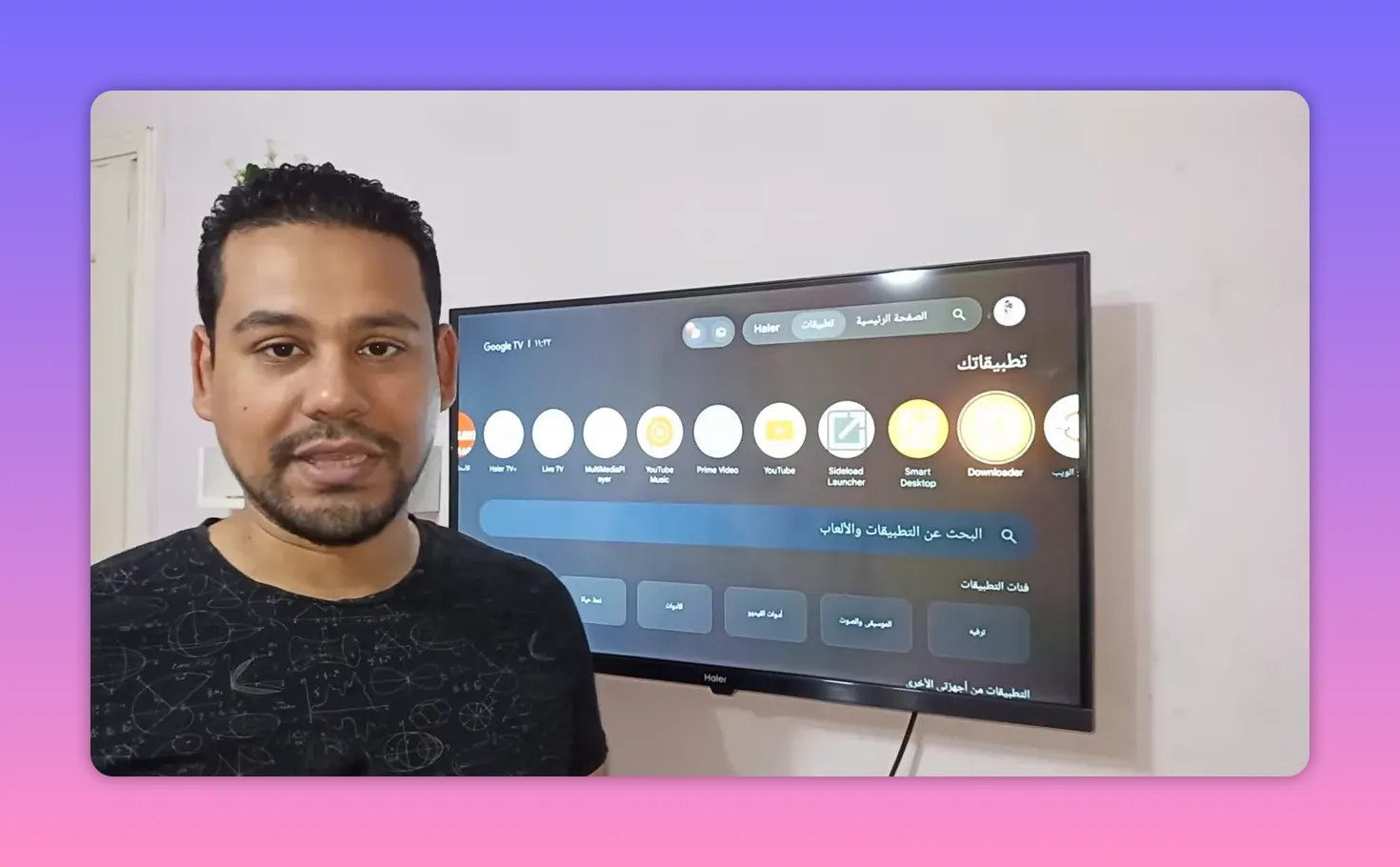
The first thing you need is the Downloader app. This is the tool used to fetch and install the app package directly on your device.
You can install Downloader from the Google Play Store on:
- Google TV
- Android TV
- TV Stick devices
- Android TV Box
- Android phones
This is the foundation of the whole process, so do not skip it.
🔎 The download code you need
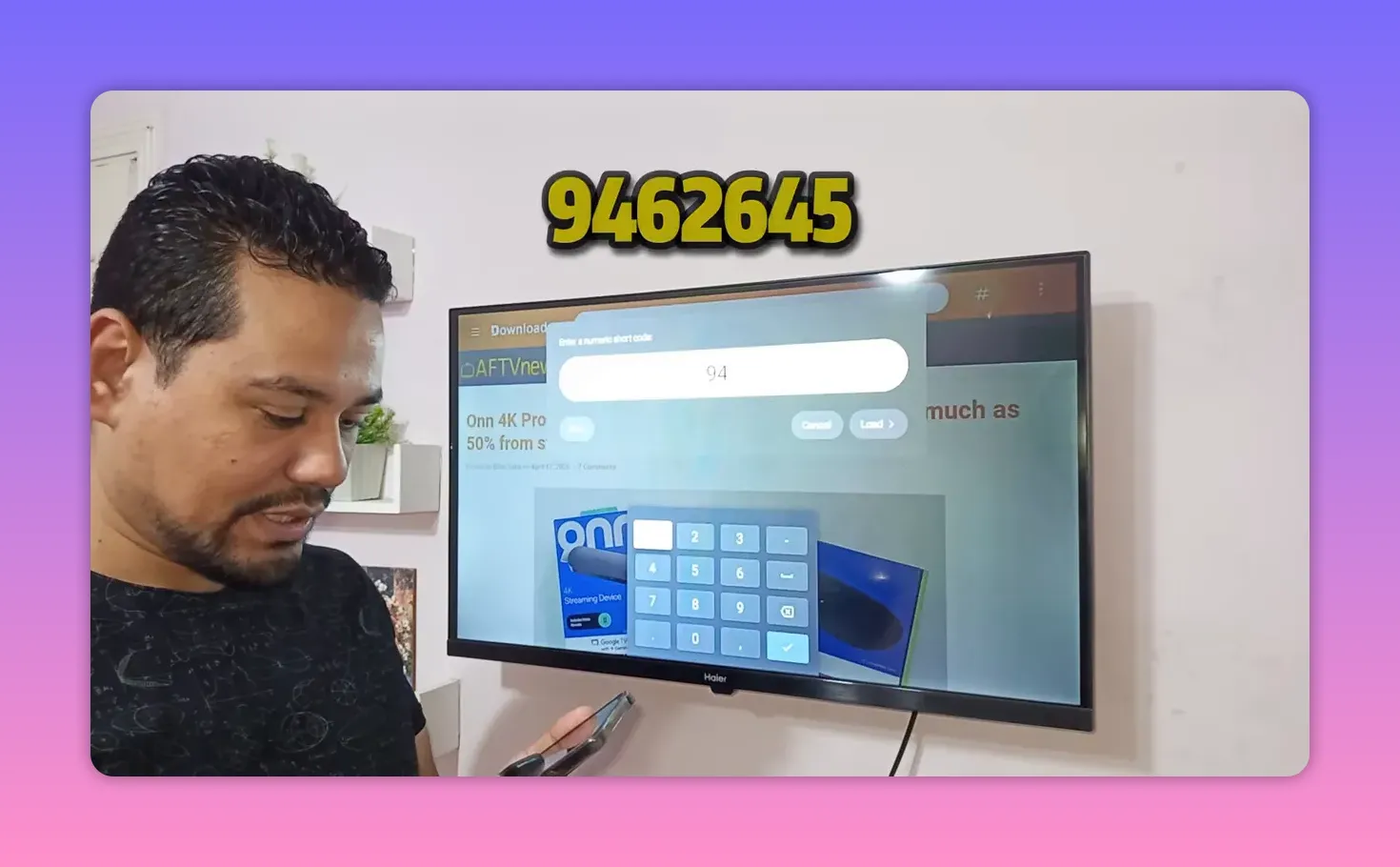
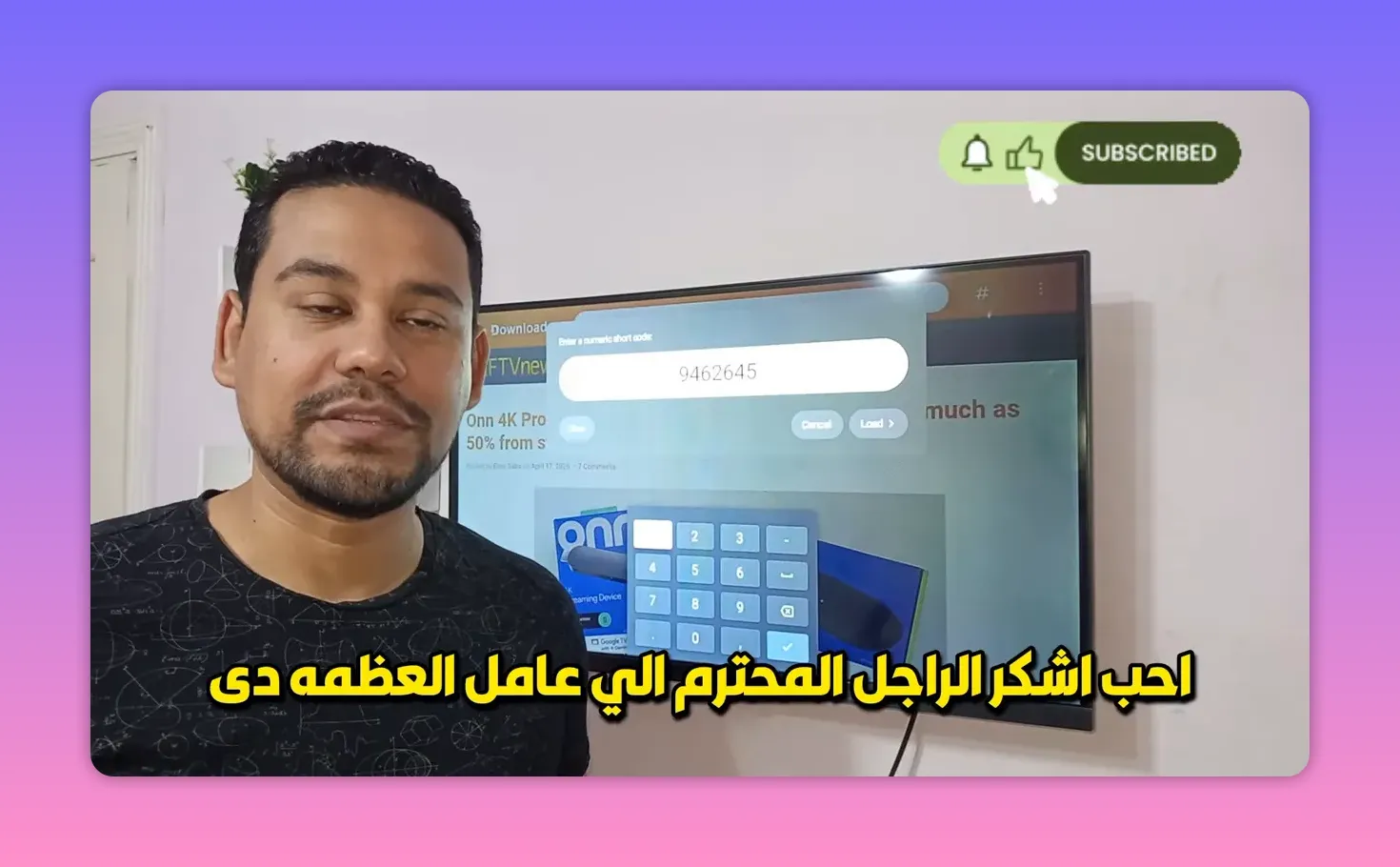
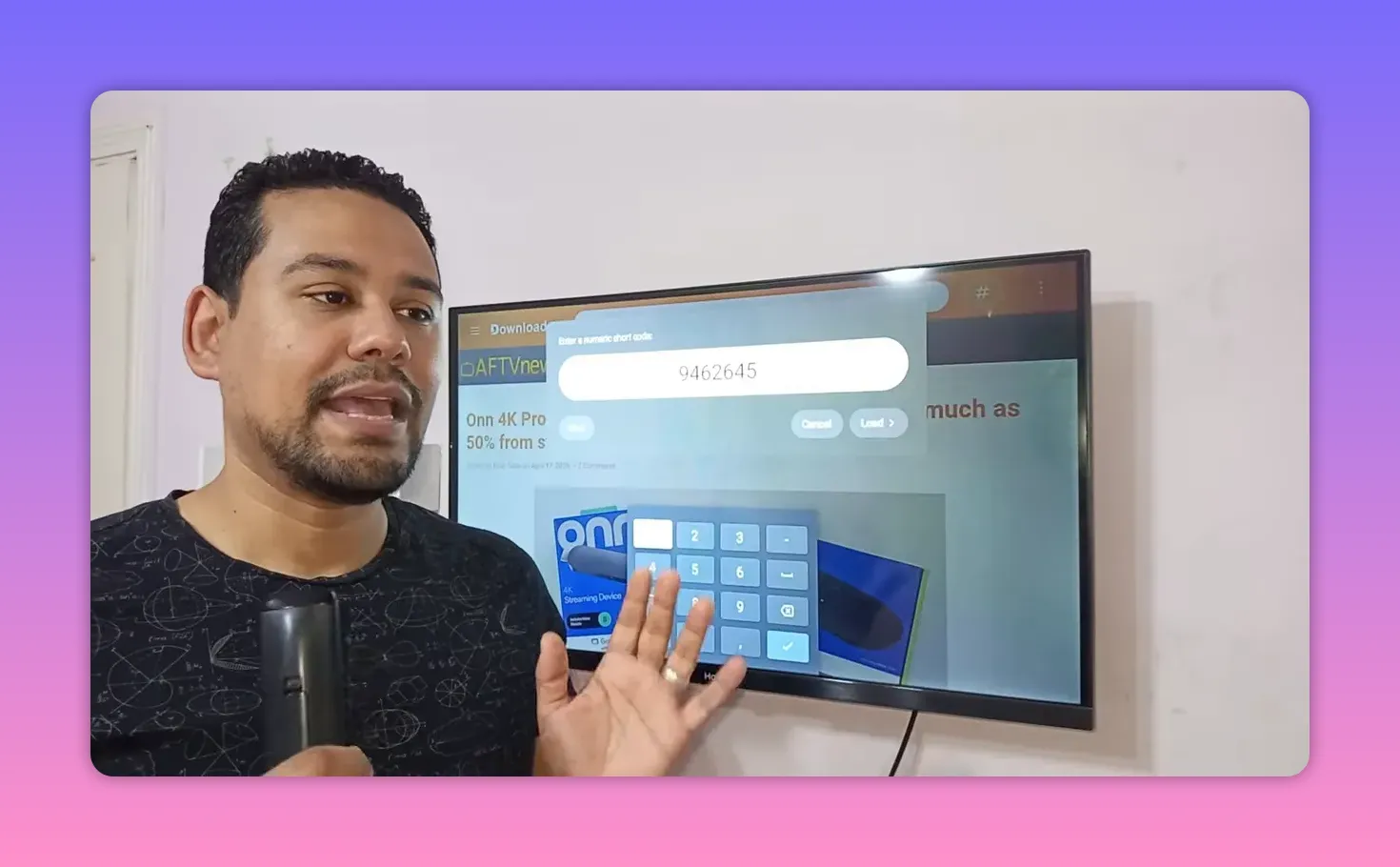
Once Downloader is installed, open it and go to the code or search field at the top.
Enter this code:
9462645
After entering the code, press Load. That takes you to the page hosting the app file.
The process described is straightforward:
- Open Downloader
- Enter 9462645
- Press Load
- Wait for the file page to open
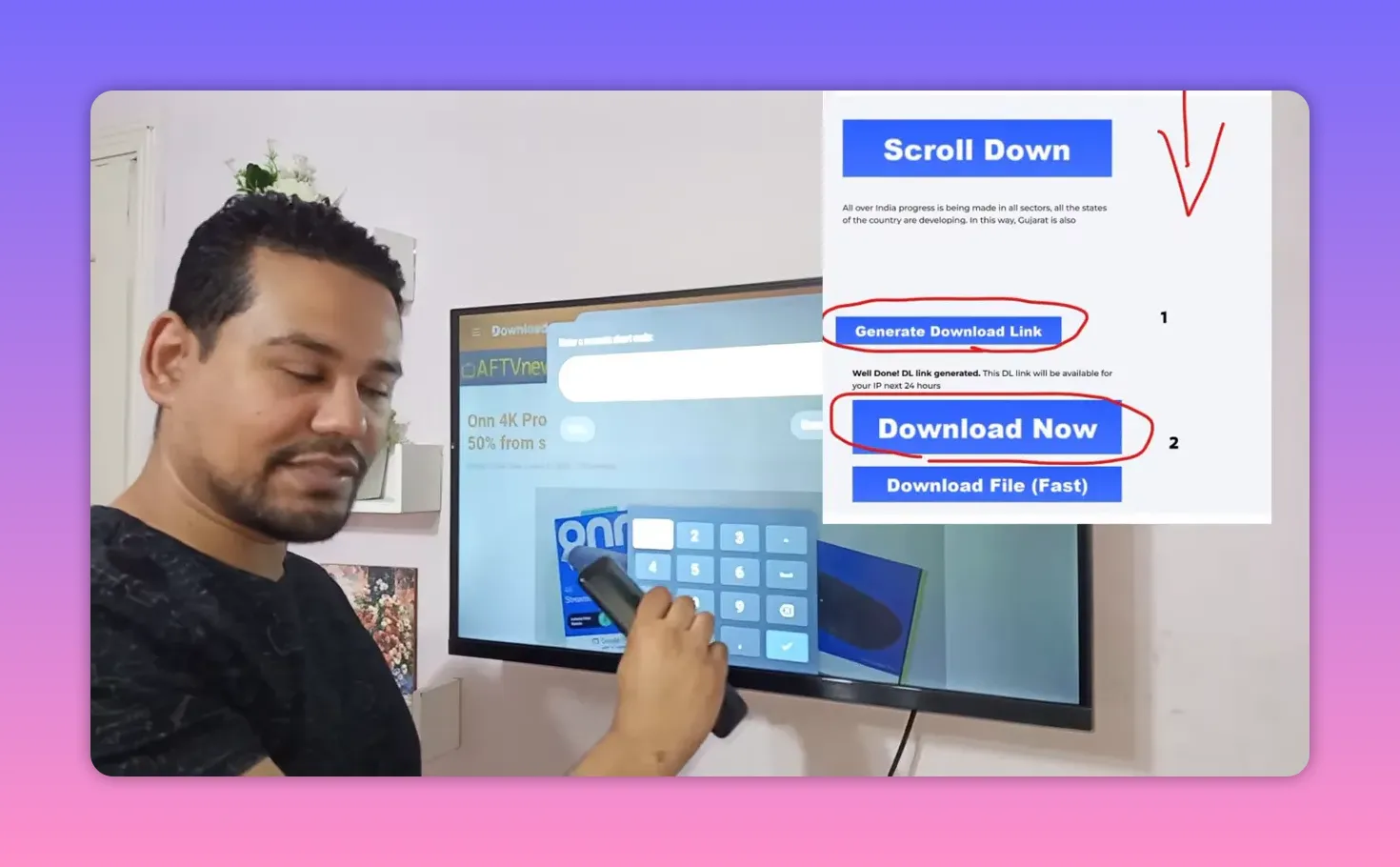
- Tap the file link to begin the download
✅ What happens during installation
After the page opens, you may see a message indicating that the content is being scanned or checked. Wait a few seconds for that step to complete, then continue down the page until the download link appears.
Once downloaded, the good news is that this app does not require:
- an external media player
- manual activation codes
- extra setup apps just to start using it
That is a big part of the appeal. A lot of free TV apps become annoying because they make installation look simple, then bury you in extra steps afterward. This one avoids that.
🌟 Why this free TV app stands out
The app highlighted here is credited to a source labeled Baghdad 1, with special appreciation given to the Iraqi team behind it. And honestly, the praise makes sense based on the features described.
Here is why it gets a strong recommendation:
- No ads cluttering the experience
- No inappropriate advertising
- No external player needed
- No codes required to get started
- Stable playback across different quality levels
- A polished interface that feels better than the usual free options
The strongest point is trust. The app was presented as something that had already been tested carefully before being recommended. That matters, because with this kind of app people usually want three things: stability, simplicity, and no nonsense. This one was praised on all three.
It was also described as feeling close to a paid service in terms of presentation and overall polish. That is not a small compliment.
📺 How to open the app correctly on a TV screen
This part is important, especially on TV devices.
When the app opens on a TV, you may see a login area asking for a username and password. Do not enter anything there.
Instead, look for the section labeled Baghdad 1. Tap it, and a few options should appear. Choose the first option, which is the one labeled Connect.
That is the step that actually opens the content.
So if the app seems like it wants credentials, ignore that screen and use the built-in connection option instead.
Quick setup reminder for TV users
- Open the installed app
- Ignore the username and password fields
- Select Baghdad 1
- Choose Connect
- Let the app continue using your TV connection
This is the one place where people can get stuck, so it is worth repeating.
🗓️ How long the access lasts
After connecting, the app reportedly shows access extending until 05/12/2026. The explanation given is that this setup provides a long usage window, roughly described as many months of access.
In practical terms, the message is simple: once connected, you are not dealing with a tiny one-day or one-week trial. You get a meaningful stretch of use before having to think about any renewal or replacement.
🧩 What to do if the app does not appear on your Google TV home screen
This is another useful tip, especially for anyone using Google TV or certain Android TV launchers.
Sometimes an installed app does not appear on the main home screen. If that happens, use a launcher app called Sideload Launcher.
Sideload Launcher helps reveal installed apps that are hidden from the normal TV interface.
To get it:
- Open the app search on your TV or enter the Google Play Store
- Search for Sideload Launcher
- Install it
- Open it to find the app you just installed
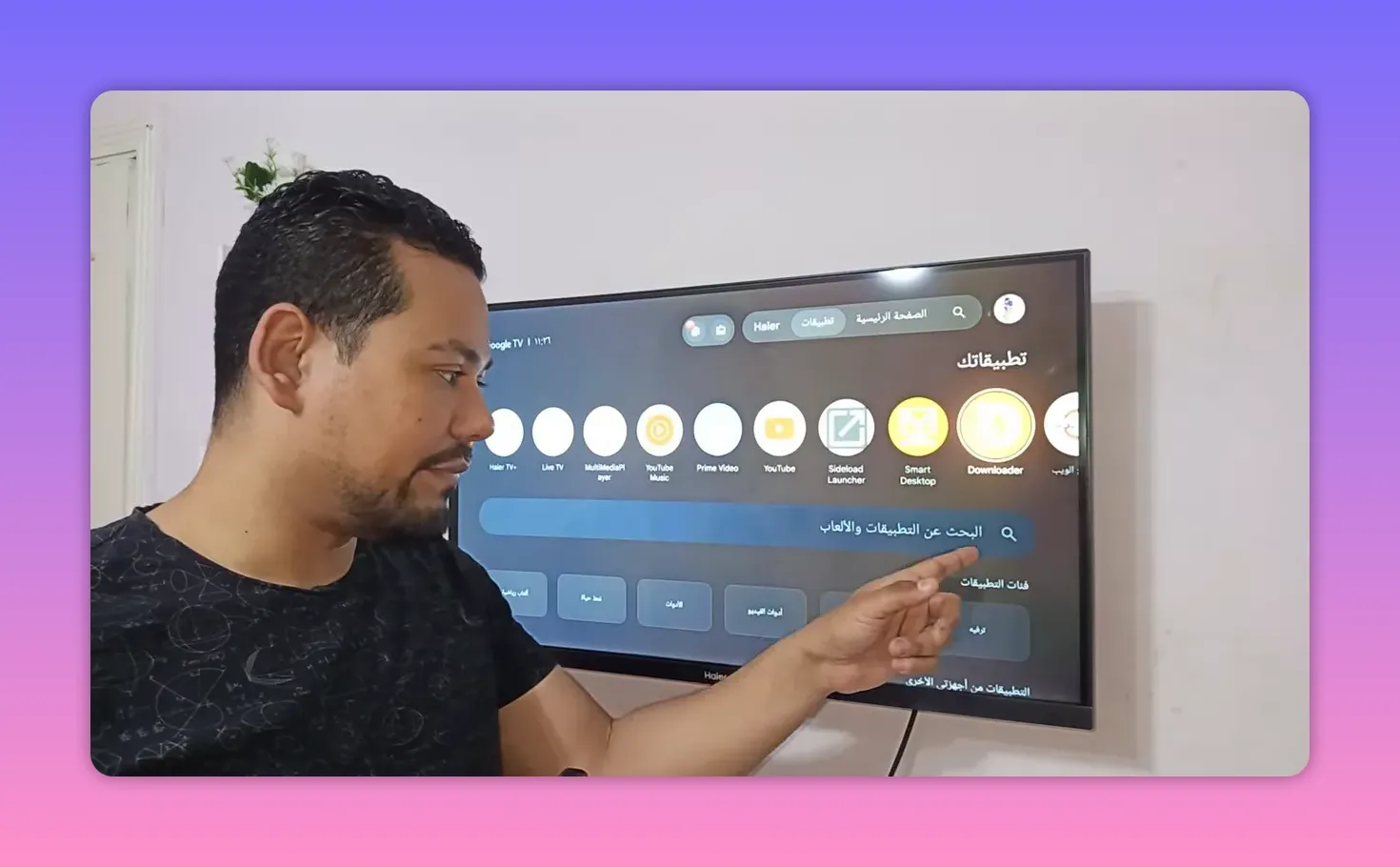
This is one of those small fixes that saves a lot of frustration. The app may already be installed correctly, but the TV interface simply hides it. Sideload Launcher makes it visible.
🛠️ Full setup summary from start to finish
If you want the entire process in one clean checklist, here it is:
- Install Downloader from Google Play
- Open Downloader and enter 9462645
- Press Load
- Wait for the scan/check step to finish
- Download and install the app file
- Open the app
- On TV devices, do not enter username or password
- Select Baghdad 1
- Choose Connect
- If the app does not show on the home screen, install and use Sideload Launcher
💡 Why simple apps like this matter
A lot of people are tired of bloated streaming apps, broken installs, aggressive ads, fake promises, and tools that stop working the second they open. That is why a clean free TV app gets attention fast.
What made this recommendation feel strong was not just the app itself, but the criteria behind it:
- It was tested first
- It was checked for stability
- It was checked for ad quality
- It was chosen because it actually works on real devices
That kind of filtering matters more than flashy claims.
❓FAQ
What devices can use this free TV app?
It is intended for Google TV, Android TV, TV Box devices, smart Android screens, and Android phones.
Do I need Downloader first?
Yes. Downloader is the app used to access the file through the provided code and install it on the device.
What is the Downloader code?
The code provided for installation is 9462645.
Do I need a separate media player to run it?
No. One of the main advantages mentioned is that the app does not require an additional player.
Do I need activation codes, a username, or a password?
You do not need manual activation codes. On TV screens, if a username and password page appears, skip it and use the Baghdad 1 section, then tap Connect.
What should I do if the app does not appear on the TV home screen?
Install Sideload Launcher from Google Play. It can show hidden or sideloaded apps that do not appear on the main interface.
Does the app include ads?
It was specifically praised for being free of ads, including the kind of low-quality ads that often ruin the experience.
Is the setup meant for legal and educational use only?
Yes. The channel description clearly frames this kind of content as educational and awareness-based, and it warns against unlawful use.
If you want a free TV app for Android TV, Google TV, TV Box, or Android phone that is simple to install and does not bury you in extra steps, this one checks a lot of boxes. The key is following the setup exactly, especially the part about using Baghdad 1 and Connect instead of typing login details.
Keep it simple, use the right tools, and if your TV hides the app, let Sideload Launcher do the heavy lifting.
