
Peace and blessings to all, and a blessed Friday to everyone.
Today I want to share a simple but important setup for an app many people are searching for: Lion. The goal here is not to complicate things. The goal is to make sure you have access to a strong app, install it the right way, and avoid the usual problems that happen when people wait too long or rely on only one option.
If you use an Android TV box, smart TV, or any compatible streaming device, this method is straightforward. The key tools are the Google Play Store, the Downloader app, and the correct Downloader code for the day.
Table of Contents
- 📱 Start from the Play Store
- 🛠️ Why Downloader Matters
- 🔢 The Downloader Code for Lion
- 🦁 Why You Should Not Depend on One App Only
- ⚠️ A Note About YouTube and Safe Sharing
- ❤️ The Spirit Behind the Channel
- ✅ Step-by-Step Summary for Installing Lion
- 📌 Practical Takeaways
- ❓FAQ
📱 Start from the Play Store
The first thing to do is open the Play Store on your device. This matters because installing the Downloader app from the official store helps avoid unnecessary issues and keeps the process cleaner.
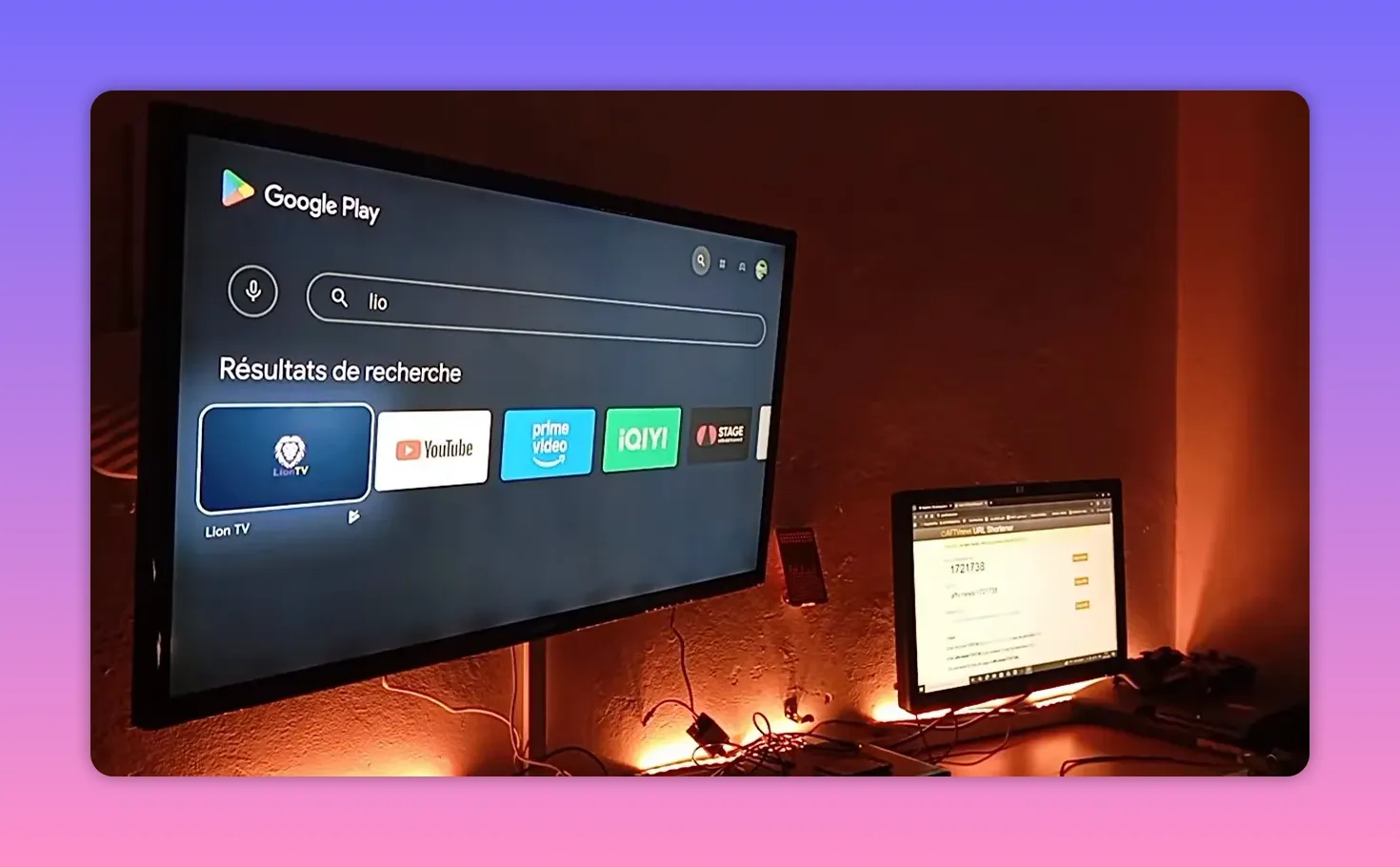
The approach is simple:
- Open the Play Store
- Search for Downloader
- Install it on your device
- Grant the permissions it requests
There is also a reminder worth keeping in mind: a newer version of Downloader had recently become available, so if your device offers an update, it is a good idea to install the latest version before proceeding.
🛠️ Why Downloader Matters
Downloader is the bridge that makes this whole process easier. Instead of hunting around manually for links, typing long addresses, or dealing with complicated installation paths, you can simply enter a code and get what you need much faster.
That is why this method is popular among people who regularly install apps on TV devices. It saves time, reduces mistakes, and makes app access more organized.
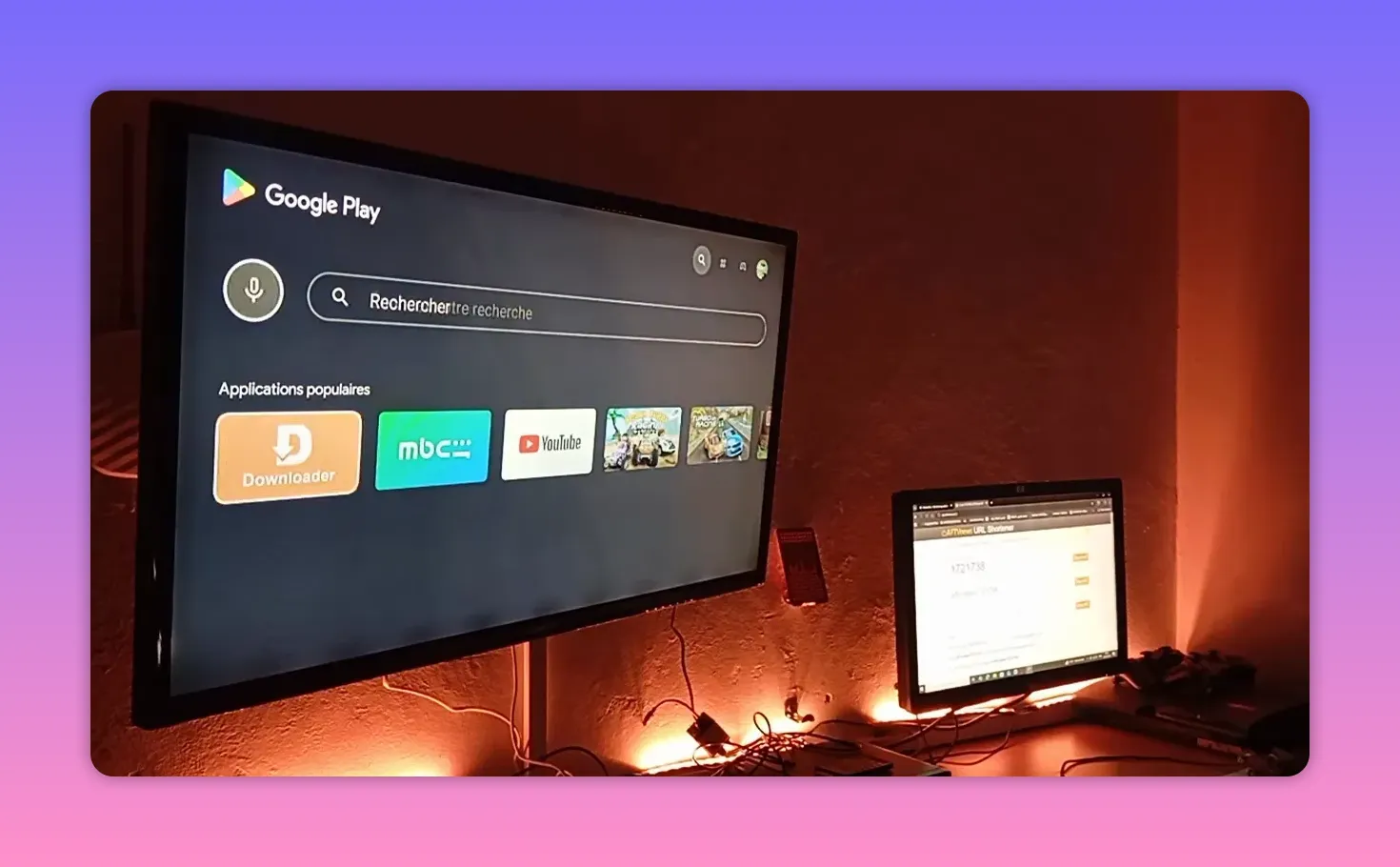
Once Downloader is installed and opened, give it the permissions it asks for. If you skip permissions, the app may not work correctly. This is one of those small steps that makes a big difference.
🔢 The Downloader Code for Lion
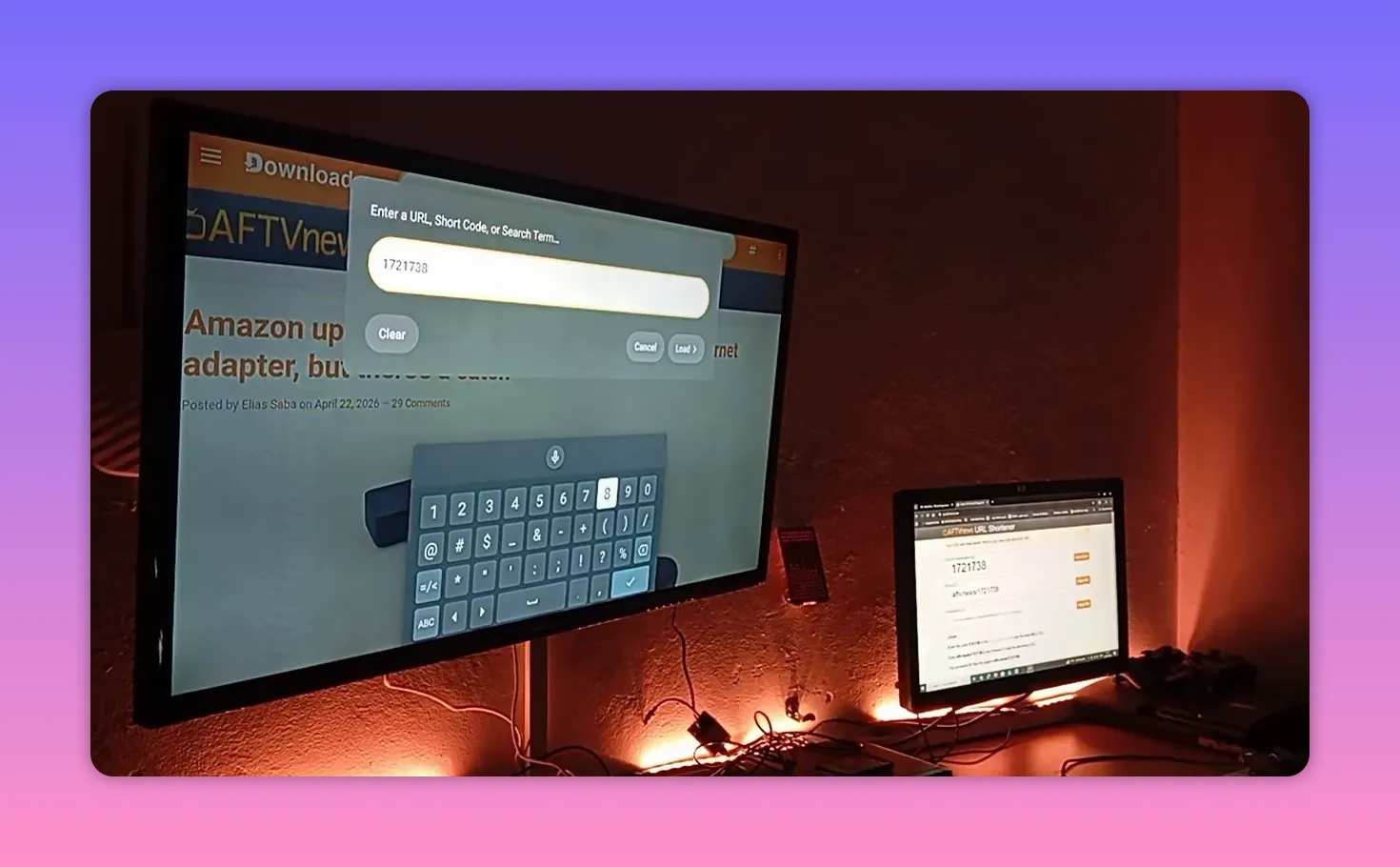
For this setup, the important part is the Downloader code. The code shared is:
1721738
This is the code entered inside Downloader to access the content prepared for this specific day.
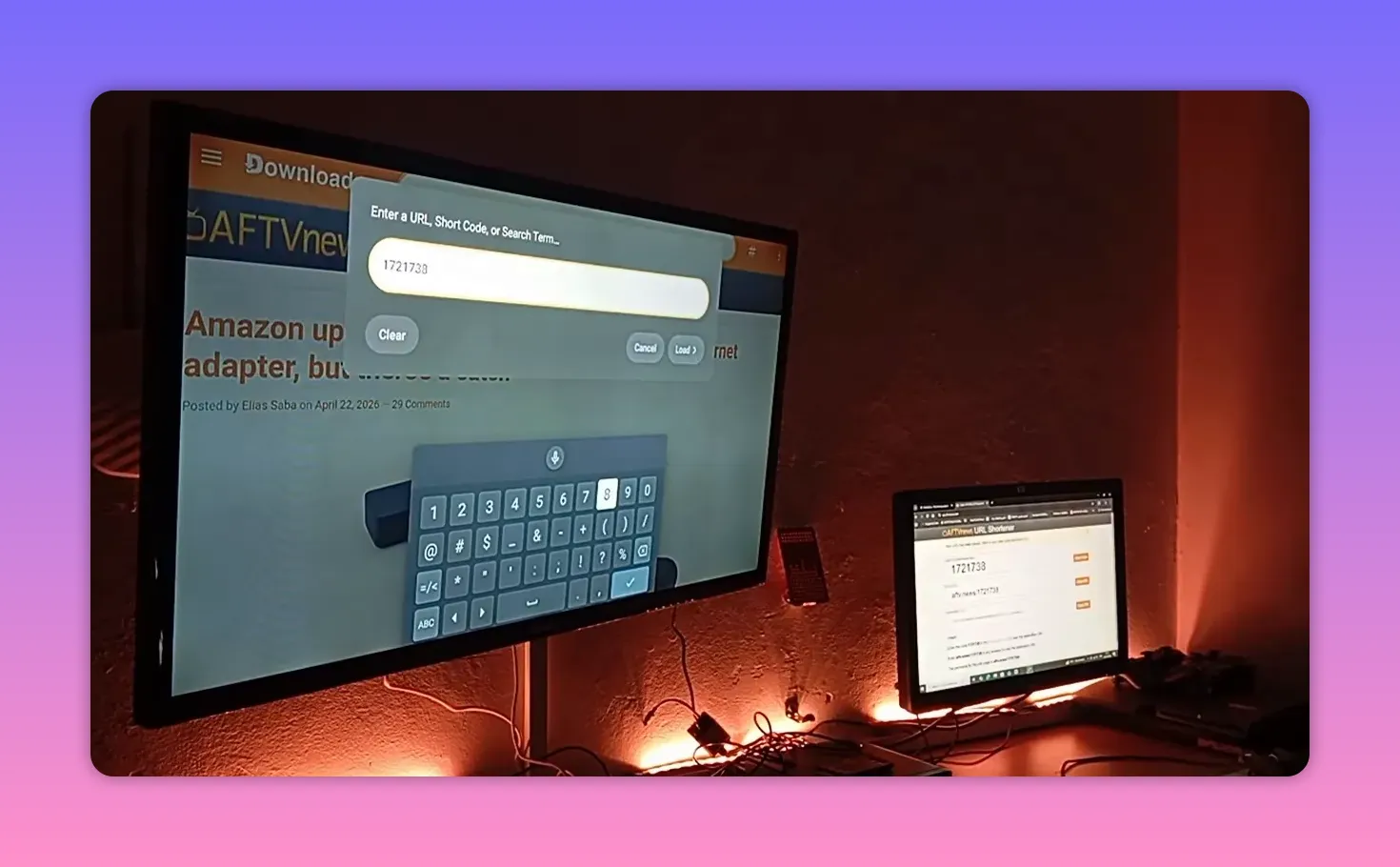
The code was repeated clearly to avoid confusion:
- 17
- 21
- 738
Written together, that becomes 1721738.
The message here is very direct: do not wait until the end and do not delay saving useful codes. If a code or app is available now, take advantage of it now. In this case, the code contains what is needed for the day’s setup.
🦁 Why You Should Not Depend on One App Only
One of the strongest points made here is not just about Lion itself. It is about mindset.
Too many people install one app, rely on it completely, and then get stuck when it stops working for a few hours or even a full day. Then the same question comes back: why was there no backup?
The advice is practical and smart:
- Follow multiple useful app updates
- Collect the available codes when they are shared
- Fill your device with backup options
- Do not wait until a service stops before preparing alternatives
If one app goes down today and you did nothing yesterday, then you have created your own problem. But if you install other reliable options in advance, you stay comfortable and ready.
That is why the recommendation is to keep up with all helpful channels and all the useful app releases being shared. There is nothing to lose by preparing early. On the contrary, it gives you peace of mind.
⚠️ A Note About YouTube and Safe Sharing
There is also an important reason behind the repeated mention of the Play Store and Downloader: avoiding problems on YouTube.
When someone explains app installation methods publicly, wording matters. Mentioning official sources like the Play Store and using general installation steps helps keep things safer and clearer. Repetition here is not random. It is deliberate.
Sometimes people complain that a creator repeats certain points too much. But those repeated points often exist for a reason. Platform rules, automated moderation, and YouTube algorithms are real concerns. So if a method is explained carefully, that caution should be understood as part of protecting the content and keeping useful information available.
❤️ The Spirit Behind the Channel
What gives this kind of content its warmth is not just the app itself. It is the relationship built around helping people access what they need with less frustration.
There was a beautiful story shared about a supporter who became so used to following these updates that family members started recognizing the habit. Whenever he picked up the phone, they would joke and ask whether he was checking Bofone again.
But behind the joke was something meaningful.
He explained that when he installs useful apps and turns on channels his family enjoys, it genuinely brings them joy. Their mood improves. They feel relieved. And in moments like that, a simple app recommendation becomes more than just a technical tip. It becomes a small service that makes daily life better.
That is why the message ends with gratitude, affection, and sincere appreciation. Helping people enjoy what they love is not a small thing.
✅ Step-by-Step Summary for Installing Lion
If you want the process in one clean sequence, here it is:
- Open the Google Play Store on your Android TV device.
- Search for and install Downloader.
- Open Downloader.
- Grant the required permissions.
- Enter the code 1721738.
- Proceed with the content provided through that code.
And most importantly, do not stop at one app. Keep backup choices on your device whenever possible.
📌 Practical Takeaways
- Lion is being presented as a strong app worth installing.
- Downloader should be installed from the Play Store.
- The shared Downloader code is 1721738.
- Grant permissions properly so Downloader works without issues.
- Do not rely on a single app for your setup.
- Save useful app codes and install alternatives before you need them.
❓FAQ
What is the Downloader code shared for Lion?
The code shared is 1721738.
Where should Downloader be installed from?
Downloader should be installed from the Google Play Store on the device.
Why is it important to grant Downloader permissions?
Without the necessary permissions, Downloader may not function correctly, which can interrupt the installation process.
Why not rely on only one streaming app?
Because any app can stop working temporarily. Having backup apps already installed means you are not left without options when one service goes down.
Is it worth saving codes and following frequent app updates?
Yes. Saving useful codes and staying updated helps keep your device ready with alternatives, instead of scrambling later when something stops working.
Is this method meant for Android TV and similar devices?
Yes. The setup clearly revolves around using the Play Store and Downloader on a TV-based Android device or a compatible streaming box.
Much love to everyone who supports, shares, and benefits from these app setups. One by one, all appreciation goes back to you. Peace be upon you all.
